
Billing
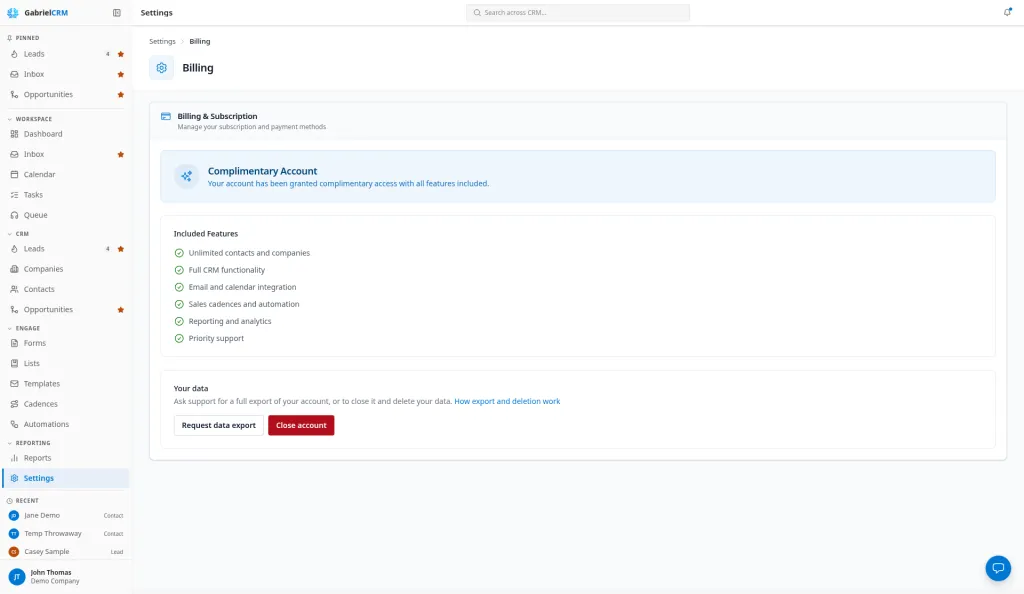
The Billing page shows your subscription, what your current number of users costs, and the way to pay or change how you pay.
Go to Settings > Billing. Administrators and the Billing Contact role see it. Only an administrator can cancel or reactivate the subscription.
Subscribe
Section titled “Subscribe”- Under Subscribe, check the price and your number of active users.
- Click Subscribe.
- Enter your payment details on the secure checkout page that opens, and confirm.
You come back to Gabriel when it’s done, and the page shows Active with your renewal date.
Manage your subscription
Section titled “Manage your subscription”While your subscription is Active, the page shows Gabriel CRM Monthly, the date it Renews, and your active users with their monthly cost.
Click Manage Billing to open the billing portal, where you can change your card and see and download invoices.
Cancel or reactivate
Section titled “Cancel or reactivate”Administrators only:
- Click Cancel subscription at the bottom of the plan card.
- Choose a reason under Why are you canceling? and, if you like, add Additional feedback (optional).
- Click Cancel subscription.
Your subscription stays active until the end of the period you’ve paid for. Until then, Changed your mind? appears; click Reactivate Subscription to keep it.
Once the paid period ends, your account becomes read-only: everyone can still sign in and see your data, but nobody can make changes. Click Subscribe to start a new subscription.
Your data
Section titled “Your data”The Your data section lets you request a full export or ask to close your account. See Privacy and your data.
How it works
Section titled “How it works”Pricing and seats
Section titled “Pricing and seats”Gabriel is billed monthly, in USD. The plan has a flat monthly price that covers a set number of users, and a per-user price for each user beyond that. The Subscribe box shows the current amounts, for example the number of users included and the price for each additional user, and what your current number of active users would cost.
- A seat is an active user. Pending invitations and deactivated users aren’t billed.
- A user added mid-month beyond the included users is billed the full monthly per-user amount for that month, as a one-off charge on your next invoice.
- Removing a user takes effect at the next renewal, with no credit.
- Each month is billed for the most users you had in it, so replacing someone who left in the same month costs nothing more.
Founding customers see Founding customer pricing next to the plan. The founding price lasts for as long as the subscription continues; if the subscription ends, a new one is at the standard price.
When a trial ends or a payment fails
Section titled “When a trial ends or a payment fails”| Status | What happens |
|---|---|
| Trial | Full access. The page shows the days left. During the last 7 days, a banner across the top of Gabriel says Your free trial ends soon |
| Trial Expired | Full access for 3 days after the trial ends. The banner says Your free trial has ended and shows the exact date access will be paused |
| Past Due | A payment failed. Full access continues for 30 days from the first failed payment; the banner says A payment failed and shows the exact date access will be paused. Click Update payment method to fix it |
| Canceled | Full access until the paid period ends, then read-only |
| Locked | Nobody can use Gabriel until someone subscribes or pays |
When the account is locked, everyone who signs in sees a page that says Your free trial has ended, Your payment is overdue or Your account is locked. Administrators and billing contacts see the billing controls on that page; others are asked to contact an administrator. Your data is kept while the account is locked, and access returns as soon as the payment goes through.
Best practices
Section titled “Best practices”- Add a Billing Contact instead of sharing an admin login. Give whoever pays the bill the Billing Contact role. They can subscribe, update the card and see invoices, but only view everything else.
- Fix a failed payment the day you see the banner. Access continues for 30 days after a failed payment, but the account locks for everyone when that time runs out.
- Deactivate leavers promptly. Every active user is a seat, including people who no longer sign in. Reassign their work, then deactivate them on the Team page.
- Time new hires with the billing month in mind. A user added beyond your included users is billed the full month however late in the month they join.
- Subscribe before the trial ends, not after. The grace period is only 3 days, and a locked account stops the whole team at once.
Troubleshooting
Section titled “Troubleshooting”I don’t see Cancel subscription. Only administrators can cancel, and only while the subscription is Active and not already set to cancel.
I don’t see the Billing tile. Your role doesn’t manage billing. Ask an administrator.