
About
About shows which version of Gabriel you’re using. Check it when you contact support or want to know whether a fix in the release notes has reached you.
Go to Settings > About. It’s under System on the Settings page, and everyone can open it.
Find your version
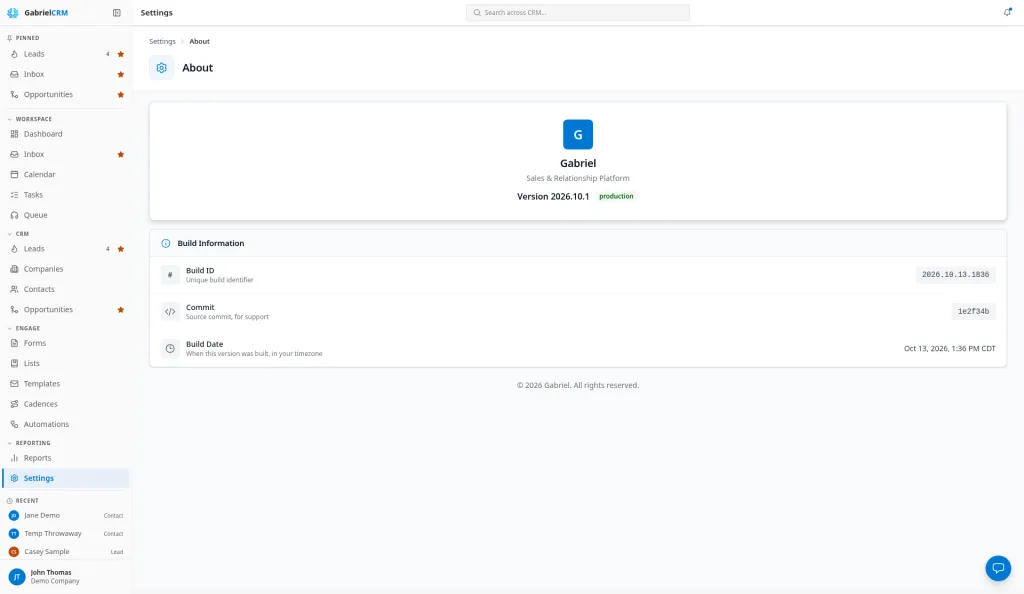
Section titled “Find your version”The top of the page shows Version followed by the number, such as Version 2026.10.1. The same number is at the bottom of the account menu: click your name at the bottom of the sidebar. Clicking it there opens the release notes.
Each release note starts with the version it shipped in.
Build information
Section titled “Build information”Under Build Information you’ll find:
- Build ID: a unique identifier for this build.
- Commit: a short code support uses to pinpoint the exact build.
- Build Date: when this version was built, in your time zone.
Best practices
Section titled “Best practices”- Tell support your version. Include the version number, and the Commit if they ask, so they can match your problem to the right release.
- Check the version before reporting a fixed bug. If the release notes say it’s fixed, compare the version there with yours. Reload the page if yours is older.