
Deleted contacts
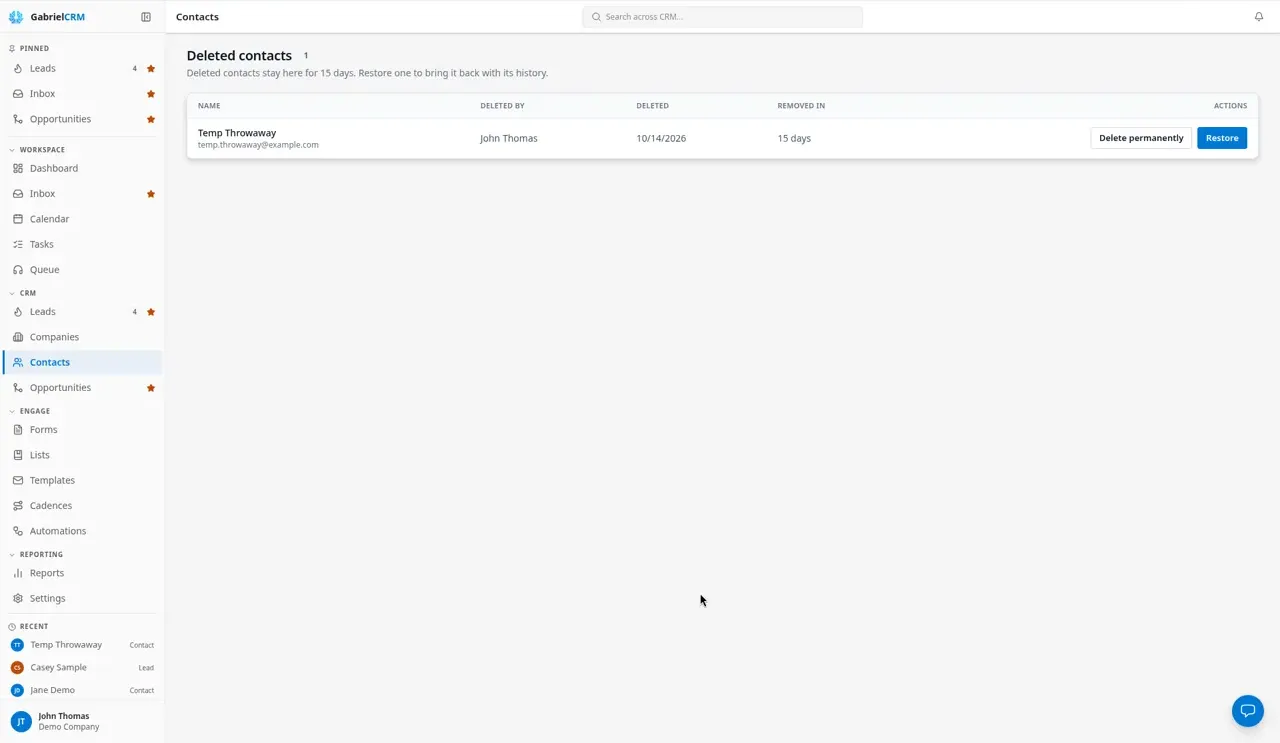
When someone shouldn’t be in your CRM any more, you can deactivate them, which keeps everything, or delete them. A deleted contact waits in Deleted contacts for 15 days, so a mistake can be undone, and is then removed for good.
Managers and admins can deactivate contacts. Deleting a contact and opening Deleted contacts need the permission to permanently delete contacts and companies, which only admins have by default.
Deactivate or delete a contact
Section titled “Deactivate or delete a contact”- Open the contact, click … (more actions), then Delete contact. To do several at once, tick them on the Contacts list and click Delete.
- Gabriel checks for related records and lists them, for example the opportunities and list memberships the contact is on.
- Choose:
- Deactivate: marks the contact Inactive. Their history and related records stay, they leave any cadences, and you can find them with the Inactive filter. Set Status back to Active at any time to undo it.
- Delete: moves the contact to Deleted contacts for 15 days.
If you don’t have the permission to delete, the dialog offers only Deactivate.
What deleting a contact does
Section titled “What deleting a contact does”- Opportunities stay on their company, without a contact.
- Activity only on this contact (calls, meetings, notes, tasks) is removed with it. Activity that’s also on a company, opportunity or lead stays there.
- List memberships and addresses are removed with the contact.
- Cadences and automation runs the contact was in end, and don’t come back if you restore them.
- Synced emails, calendar events, form submissions and documents stay; they just lose the link to the contact.
Restore a contact
Section titled “Restore a contact”- On Contacts, click Deleted contacts.
- Find the contact. Removed in shows how many days are left.
- Click Restore.
The contact comes back with its own activity, addresses and list memberships, and opens so you can check it. Gabriel relinks it to its opportunities and other records, unless one has been given a different contact in the meantime. Anything deleted while the contact was in the bin, such as a list, is left out.
Delete a contact permanently
Section titled “Delete a contact permanently”- On Deleted contacts, click Delete permanently next to the contact.
- Confirm with Delete permanently.
How it works
Section titled “How it works”- 15 days, then gone. Each deleted contact is removed for good 15 days after it was deleted, in a daily clean-up.
- Who sees the bin. People who can see every contact see every deleted contact. Anyone else sees only the contacts they deleted.
- Company deletes use the bin too. Permanently deleting a company moves its contacts here. A restored contact comes back without a company, because the company is gone.
- Removing a contact from a company’s Contacts tab only deactivates them.
Best practices
Section titled “Best practices”- Deactivate by default; delete only mistakes and junk. Deactivating keeps call and email history for reporting and the next rep. Delete test records, duplicates you’ve merged by hand, and people who should never have been added.
- Check the related records before you delete. If the dialog shows open opportunities, consider moving them to another contact first; a deleted contact leaves its deals without anyone on them.
- Restore within the 15 days, not later. After that there is nothing to restore, so admins should check Deleted contacts soon after any bulk delete.
- Re-enroll restored contacts by hand. Cadence progress isn’t restored, so put them back in the right cadence after a restore.
- Admins: give delete rights sparingly. One permission covers deleting contacts and permanently deleting companies, and a deleted company can’t be restored.
Troubleshooting
Section titled “Troubleshooting”“This contact cannot be restored because some of its details conflict with records changed since it was deleted.” Another contact now holds a detail that must be unique, for example because the person was imported again from Autotask. Work with the newer contact instead.
Deleted contacts isn’t on the Contacts page. You don’t have the permission to permanently delete contacts and companies. Ask an admin.